
Step: 1
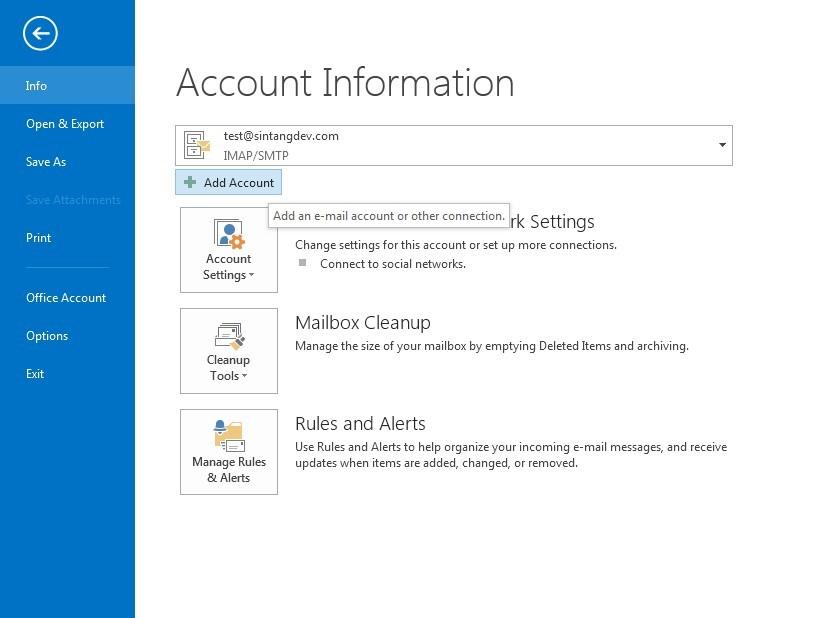
Launch Microsoft Outlook 2013. Click the File from the menu bar.

Step: 2
In Account Information page, click the Add Account button.
Step: 3
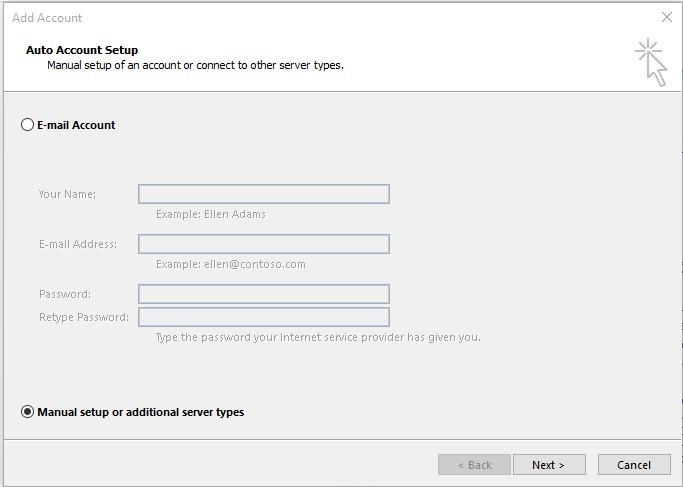
Select Manual setup or additional server types, and then click the Next button
Step: 4
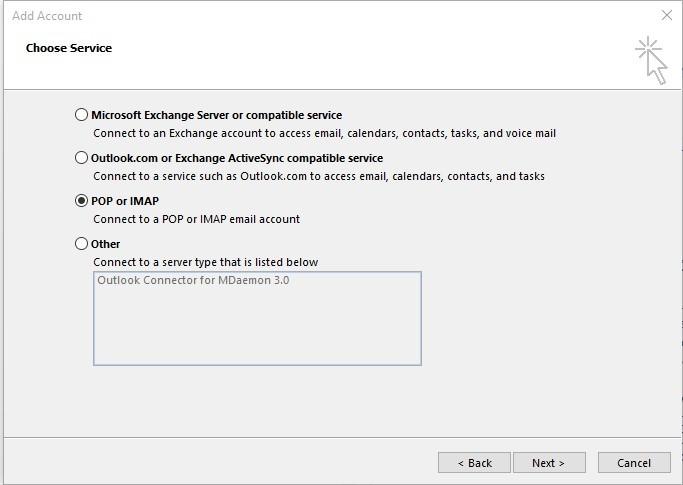
Select POP or IMAP, and then click the Next button.
Step: 5
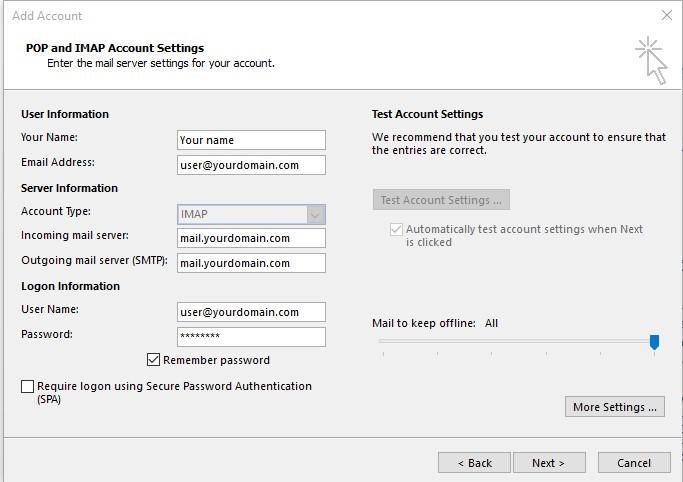
Fill in all the information required.
Account Type: IMAP
Incoming mail server: mail.yourdomain.com (your own domain mail name)
Outgoing mail server: mail.yourdomain.com
User Name: xxxxxxx@yourdomain.com (your email address)
Password: xxxxxxxx (Your own password)
After that, click on More Settings … (*More setting allows you to change your port number)
Step: 6
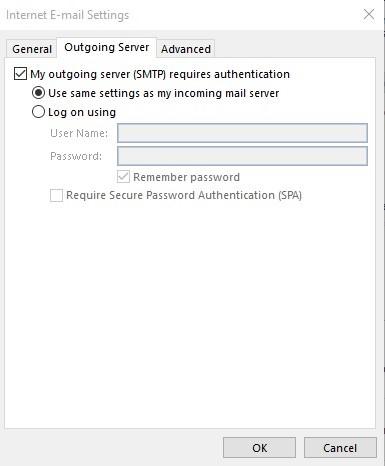
Under Outgoing Server tab, Tick the checkbox – My outgoing server (SMTP) requires authentication. Then select Use same settings as my incoming mail server.
Step: 7
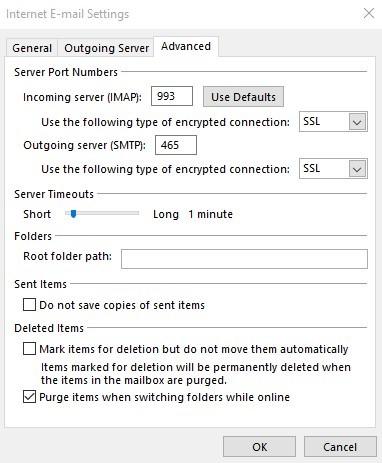
Under the Advanced tab, check for the port number.
Incoming server (IMAP): 993
Use the following type of encrypted connection: SSL
Outgoing Server (SMTP): 465
Use the following type of encrypted connection: SSL
After that, click the OK button
Step: 8
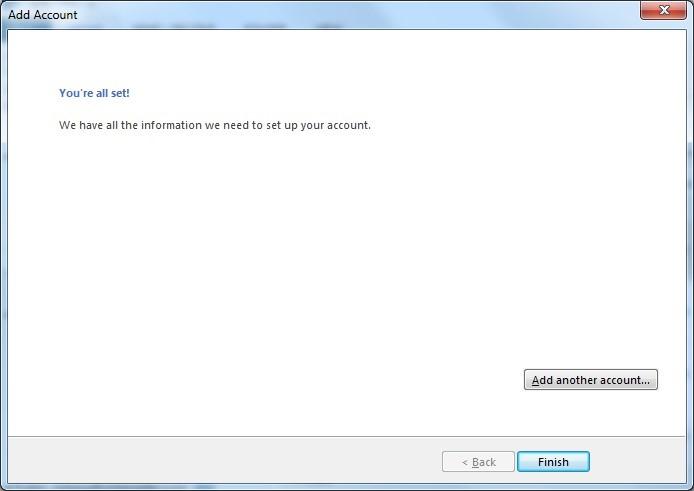
Let it verify your email account. Once finished click “Finish”
Email encryption with SSL
Secure Sockets Layer (SSL) is a method to encrypt traffic from sender mail server to the recipient mail server during transmission.
This prevents sniffing on your email login credentials, email messages, and attachments sent and received on the internet.
Once the email reached its intended recipient, it will be decrypted for viewing automatically.
