Step: 1
Go to Outlook, Select File > Automatic Replies (Out of Office)

Step: 2
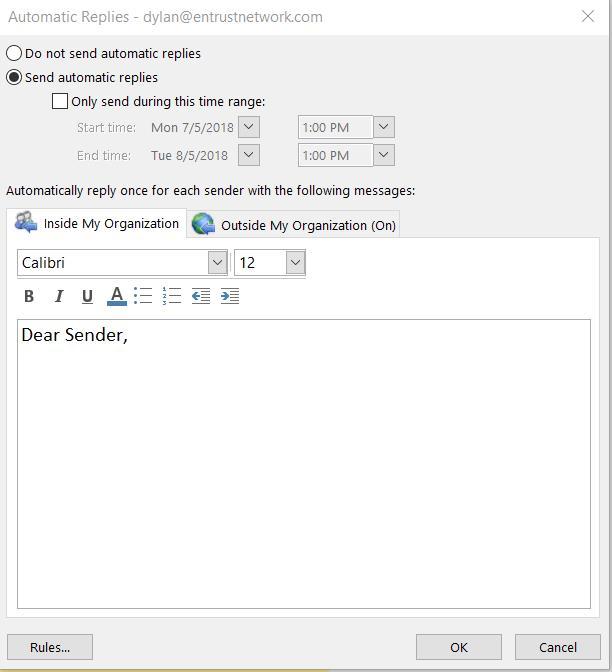
Choose “Send automatic replies”
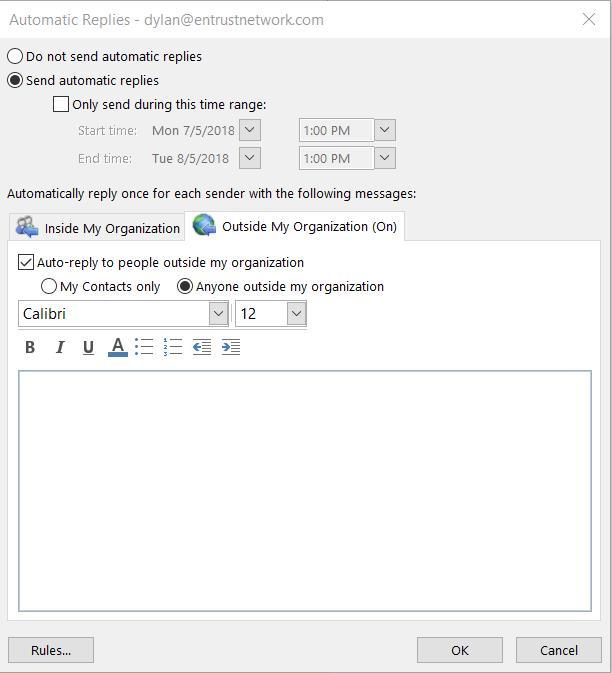
Select Outside My Organization so that other sender will receive your automate replies. Inside the content type in the message you want the sender to received.
Step: 3
For Inside My Organization it will only prompt the automatic replies to your organization.